Solutions
See how your next production would run.
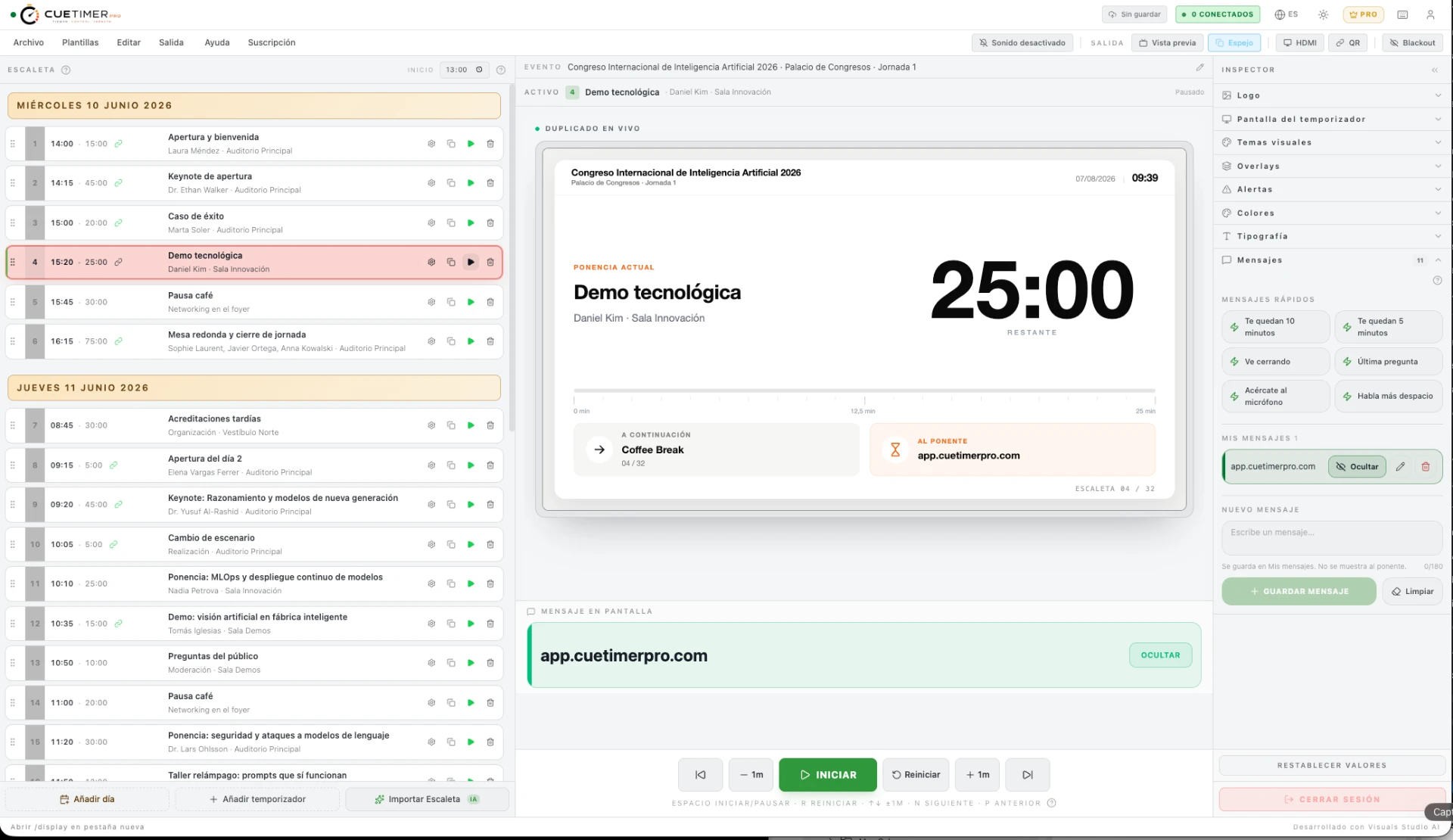
Every production works differently. Pick the kind of event you produce and you will see the exact CueTimer Pro setup for it: the screen your team would use, how the time is run and which tools it works with.
What kind of production do you run?
Pick a scenario and the whole page adapts to it.
- Auto start times
- Multi-room
- Confidence monitor
Situation
Several rooms running at once, dozens of talks and last-minute changes.
This is how it works
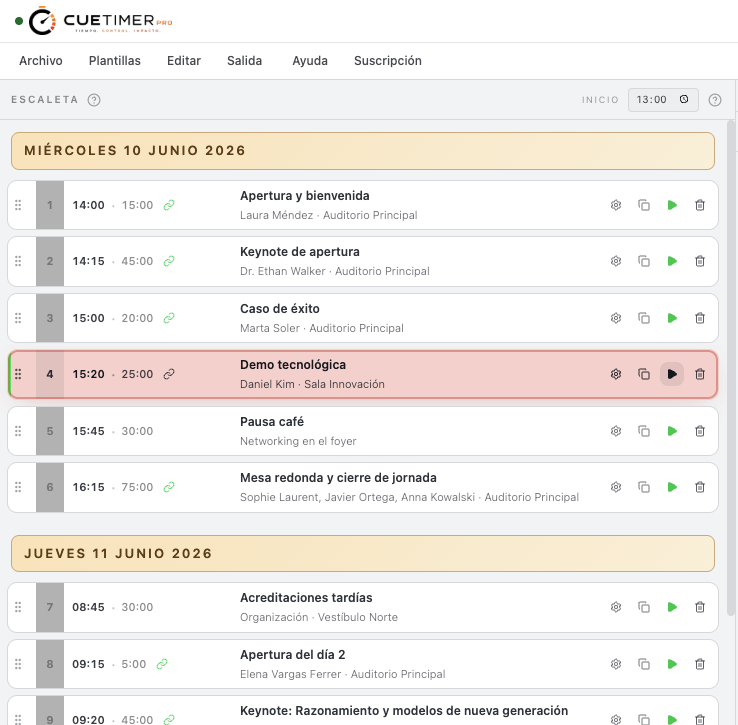
The team imports the official programme and it becomes the working rundown. During the day the operator runs the countdown from the booth, the speaker follows the remaining time on the confidence monitor and production opens the same event on a tablet by scanning a QR to see how each room is doing.
Result
- Every speaker knows exactly how long is left.
- Production sees the state of each room at a glance.
- A change in the programme reaches every screen at once.
- 1Client programme
- 2Rundown
- 3Rooms and screens
- 4Live
- 5Congress in sync
Who does what
- The speakerSees the time left on the confidence monitor, gets discreet notices and knows what comes next without losing focus.
- ProductionFollows every room from a tablet and knows at a glance which talk is on and how it is doing on time.
- OperatorRuns the countdown from the booth, adds minutes, holds and sends messages when the programme moves.
- TeamAnyone authorised opens the same event by scanning a QR, with no install and no cables.
Tools used
- Rundown
- Confidence monitor
- Countdown
- Messages
- QR
- Overlays
Works with
- QR
- Overlays
Is your production not on the list?
If your event depends on time, CueTimer Pro fits. Try it with a real programme.